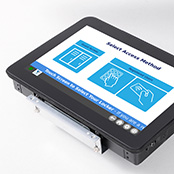
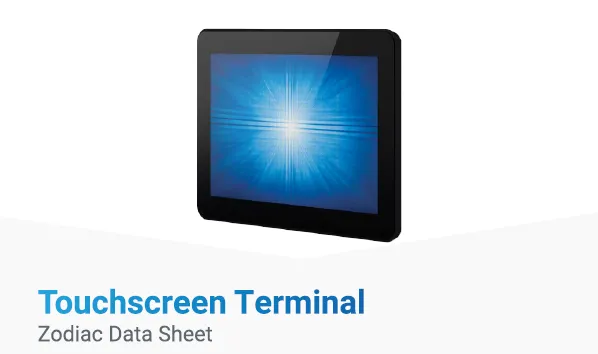
The Zodiac system includes a slimline 10.1-inch, LCD touchscreen. Designed for flush mounting on the locker bank, this gloss-black display looks as good as it performs. An energy-efficient LED backlight uses less power and generates less heat, making it ideal for indoor spaces like lobbies and workspaces.

Search our website
Zodiac Workspace: A Smart Locker System for Workspaces
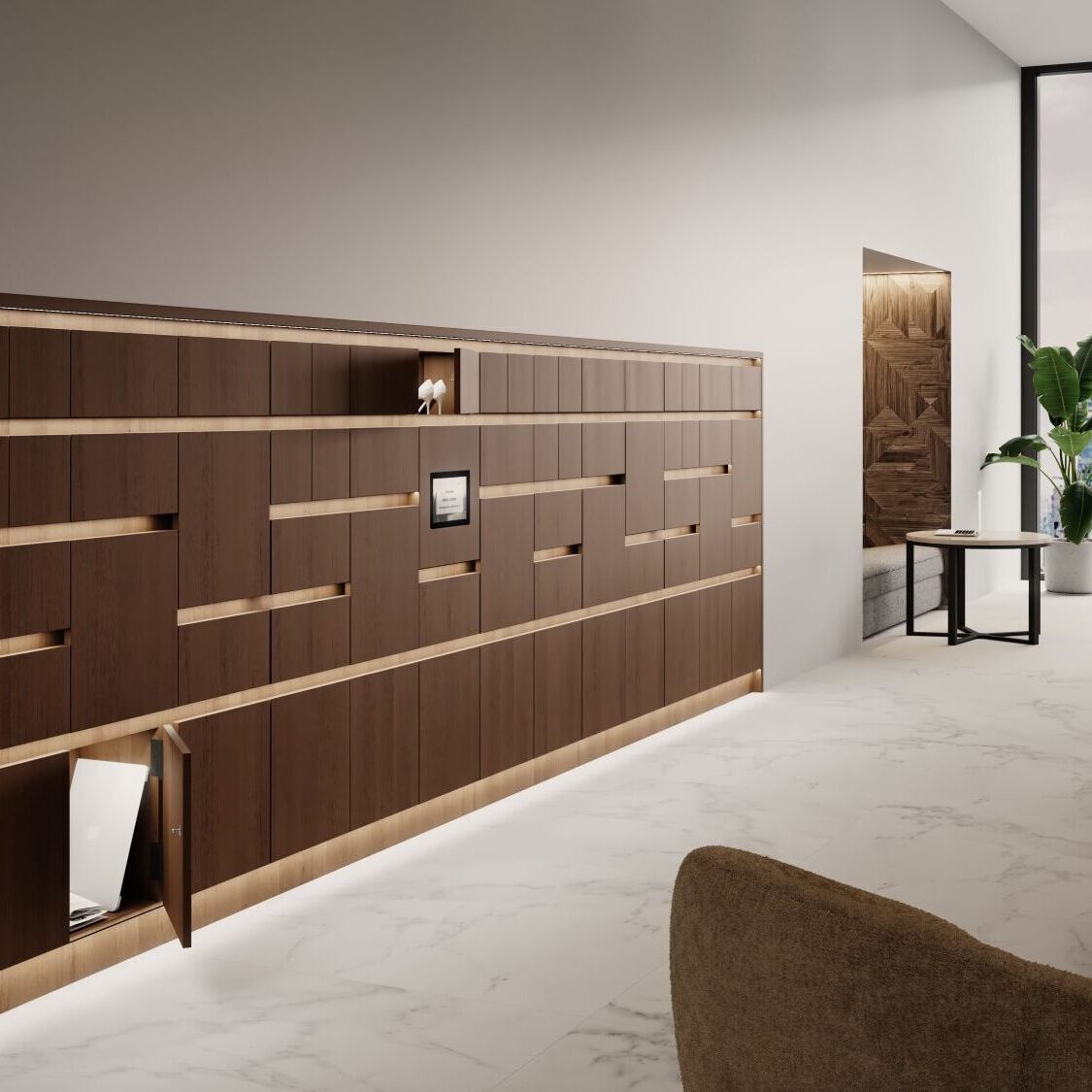
Zodiac Workspace is a connected smart locker system built for offices, hybrid workplaces, and shared environments. Users gain secure, keyless access using an RFID card or PIN. Administrators can assign lockers, monitor usage, and manage availability through a browser-based portal from any location, in real time. Available as a complete locker installation or as an integration kit, Zodiac is designed to grow with your organisation.
Zodiac Workspace at a glance
Access
RFID card or secure pin, with no keys required.
Allocation
Private, Registered Public, or Guest mode.
Management
Browser-based remote administration and reporting from anywhere, any time.
Deployment
Complete smart locker installation or integration kit.
Scale
Supports individual locker banks and larger multi-site networks.
Support
System design, installation, commissioning, and after-sales assistance are available.
How Zodiac works
-
Step 1: Configure
An administrator sets up users, allocation rules, and access permissions through the Zodiac web portal. The operating mode is selected per locker bank: Private for assigned storage, Registered Public for shared access, or Guest for open environments.
-
Step 2: Access
The user taps their RFID card or enters their PIN at the Zodiac touchscreen terminal. The system then authenticates the user and opens the correct locker. In Registered Public and Guest modes, users can choose an available locker.
-
Step 3: Monitor
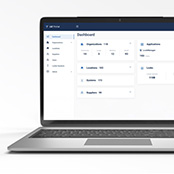
The web portal shows locker occupancy in real time, meaning administrators can identify locker blocking, monitor usage patterns, and manage availability remotely from any device.
-
Step 4: Adapt
Usage data and allocation insights allow administrators to optimise locker provision over time. Operating modes, user permissions, and allocation rules can all be adjusted through the portal as workforce patterns change.
Who Zodiac is for
Corporate and hybrid workplaces: Where employees move between desks, sites or days, Zodiac provides personal storage that follows the workforce rather than a fixed desk allocation.
Private mode for permanent staff and Registered Public for hybrid teams. Both in the same installation.
Leisure, hospitality and sports facilities
For changing rooms, spas, gyms, and leisure centres, Zodiac’s wet area compatibility and multi-language terminal make it a suitable specification for high-traffic, mixed-audience environments.
Furniture manufacturers and specifiers
Zodiac Workspace is available as an integration kit, supplying the touchscreen terminal, electronic latches, distribution boards, and web portal separately for integration into a manufacturer’s own existing locker or cabinet design. Full integration support and commissioning are available.
Architects and fit-out partners
Custom branding and colour schemes are available on the Zodiac terminal on a system-by-system basis, allowing the installation to complement the wider interior specification.
What makes Zodiac unique
-
Security and convenience in one
Zodiac gives users simple and safe access using an RFID card or a PIN code. Each locker will only open for that allocated user, ensuring real security throughout the day.
-
Cloud-connected, real-time control
Manage your locker system remotely from anywhere in the world. Cloud connection shows you what’s happening in real time, so you can monitor usage capacity and instantly increase locker availability by detecting ‘locker blocking’.
-
Actionable insights & analytics
Zodiac helps you make data-driven decisions. See past usage patterns, identify high demand zones, and then optimise your locker allocation. Perfect for an evolving workspace. Clear, easy-to-read dashboards deliver everything you need to know in both graphical and tabular formats.
-
Technical support, responsive and available
As your trusted partner, we deliver more than just technical support. We also provide peace of mind. Our highly responsive team is always ready to act, ensuring your queries are resolved swiftly and your systems remain fully operational.
We don’t believe in one-size-fits-all; our support is tailored to your exact requirements, whether you need assistance during standard hours or round-the-clock coverage. With us by your side, you can be confident that downtime is minimised, performance is maximised, and your business keeps moving forward without interruption.
-
Designed for agile workspaces
Whether you’re creating the perfect hybrid workspace, or providing employees with more agile storage solutions, Zodiac makes it all possible. And because it’s so flexible, Zodiac is always ready to adapt to your team’s needs.
-
Flexible storage modes
Choose between private, registered user, or guest storage access. Zodiac easily adapts to how your space is used, from day-to-day, month-to-month, or year-to-year.
Smarter locker management for users and facilities teams
Eliminating physical keys removes the most common friction points in locker management: lost, duplicated, unreturned keys, and the administrative overhead that follows. Zodiac Workspace replaces that with RFID or PIN access that users manage themselves and administrators oversee through a single web portal.
For facilities teams, the practical improvements are:
Higher locker availability. The locker-blocking detection in the web portal identifies storage that is occupied but not in active use, enabling administrators to free up capacity without requiring a physical site visit.
Reduced allocation overhead. Registered Public mode allows locker allocation to happen automatically at the point of use, removing the need for manual assignment at the start of each day.
Flexible storage policies. Private, Registered Public and Guest modes can be run simultaneously across the same installation, supporting different user groups within a single locker bank.
Multi-site visibility. The web portal gives administrators a real-time view across multiple locations from a single interface, making Zodiac scalable for organisations with more than one site.
Audit records. Usage logs are available for audit and investigation purposes, providing an accurate record of access by user, locker, and time.
FLEXIBLE OPERATING MODES
Storage that adapts to you
Zodiac Workspace gives you the power to tailor locker use to your specific environment, whether you’re managing assigned desks, hybrid teams, or high-traffic guest areas.

Private mode
This mode is ideal for permanent staff or teams with fixed workstations.
Assign lockers to individual users for exclusive, ongoing access. Users simply tap their RFID card or enter their PIN. No keys, no confusion.

Registered public mode
Perfect for hybrid teams or shared offices.
This mode allows pre-approved users to access any available locker. Once registered, users can access lockers instantly using their RFID card or PIN – no admin needed.

Guest mode
For open environments, like co-working spaces or visitor zones.
Guest Mode makes lockers freely available to anyone. Users simply scan their RFID card or enter their PIN before selecting an available locker.
Security, integrations and resilience
The questions enterprise and IT buyers typically ask before specifying a connected smart locker system cover data handling, credential compatibility, network resilience, and emergency access. The following addresses each in turn.
RFID credentials and card compatibility
Zodiac uses RFID-based authentication. Confirm with our technical team which specific card standards and credential types are supported before specifying, particularly if you intend to use existing employee access cards rather than issuing new credentials.
Administrator permissions and audit records
Administrator access to the Zodiac web portal is permission-managed. Usage logs record access by user, locker and time and are available for audit and investigation purposes.
Network connectivity
Zodiac is cloud-connected for remote management and reporting. The system will continue to work in offline mode to allow users constant access to their lockers regardless of network status.
Power failure and emergency access
We recommend that Zodiac be supplied via an Uninterruptible Power Supply (UPS) to avoid any issues in the event of a power failure. For extra peace of mind, the master key override option is available.
APIs and third-party integration
For enquiries about API availability and integration with third-party access control, HR or workplace booking systems, contact our technical team.
Data handling
For information on data hosting, data retention and GDPR compliance, contact our technical team.
Zodiac Workspace, Your Way
Zodiac is available in two configurations depending on your project requirements. Choose between complete system or an integration kit.
-
Complete Zodiac solution
For employers, facilities teams and project owners who want a single route to installation.
Working with trusted partners, we manage the project from initial design through to installation, commissioning,and after-sales support. We supply lockers, hardware, software, and project management, so you receive a fully operational system.

-
Zodiac integration kit
For locker manufacturers, furniture suppliers and installers who want to integrate Zodiac into their own products.
We supply the components, including the touchscreen terminal, electronic latches, distribution boards, and web portal access, as well as integration guidance, commissioning support, and ongoing technical assistance.
Built around how you use your space
Looking to make hybrid working more accessible? We’ve got you. Want to assign storage remotely? No problem.
Looking to make hybrid working more accessible or assign storage remotely? Zodiac Workspace adapts to places that don’t stand still.

Unique branding and customisation
Tailor the Zodiac terminal to match your branding and colour scheme. We can do this on an individual system-by-system basis, so your storage complements its surroundings beautifully.

A streamlined user experience
Lockers built around the Zodiac system can be accessed in seconds, simply using an RFID card or PIN code. A clear, easy-to-use touchscreen menu makes every step quick and intuitive.
Storage can be assigned on a personal, registered user, or guest basis. Zodiac provides all the options you need to bring your storage ideas to life. It even supports multiple languages, making it perfect for international workforces and visitors.

Sophisticated management tools
System settings are controlled through an administrator menu on the terminal. This provides instant access to permission-managed functions. Usage logs are also available for audit purposes, in case of investigation requirements.
ZODIAC SYSTEM COMPONENTS
Smarter locking technology and easier installation.
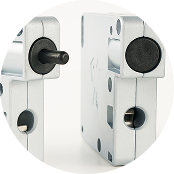
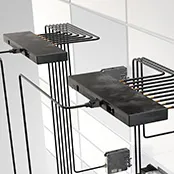
Designed with specifiers and installers in mind, Zodiac Workspace is refreshingly easy to install. No need for bulky electrical enclosures and complex on-site wiring. The Zodiac system requires the integration of just four elements into each locker bank:
-
Touchscreen Control
-
Electronic Latches
-
Distribution Boards
-
Web Portal
TECHNICAL RESOURCES/ DOWNLOADS
Discover more about Zodiac Workspace
Whether you're planning an install, comparing systems, or just want to dig a little deeper, you'll find all the information that matters here. If you need more – feel free to get in touch.
Brochure
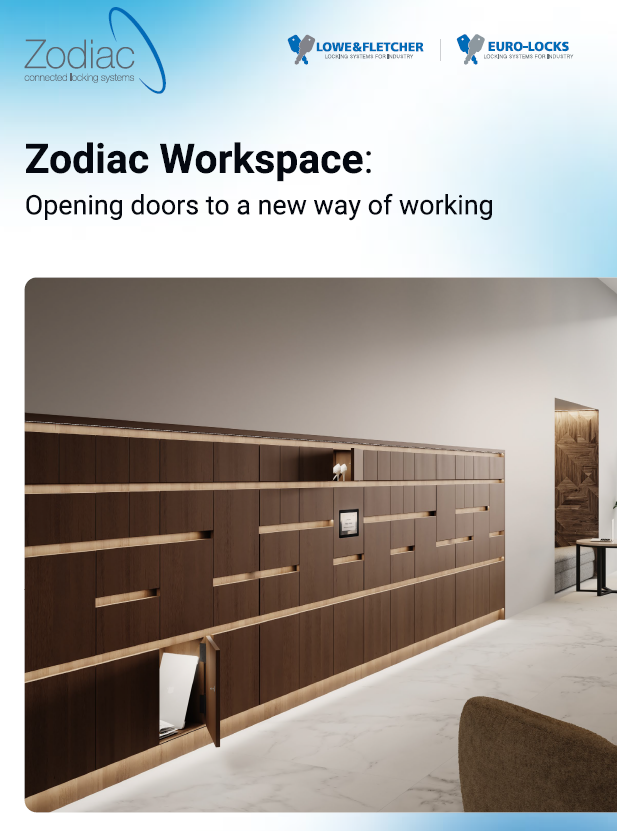
Zodiac Workspace
A handy, downloadable overview to the Zodiac Workplace system.
Data Sheet
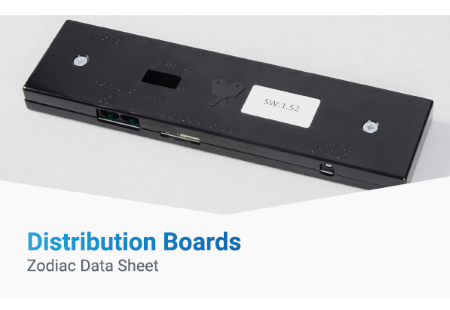
Distribution Boards
The Lowe & Fletcher Distribution Board is an advanced interface unit for controlling connected electronic latches using a set of simple commands sent via USB.
Data Sheet
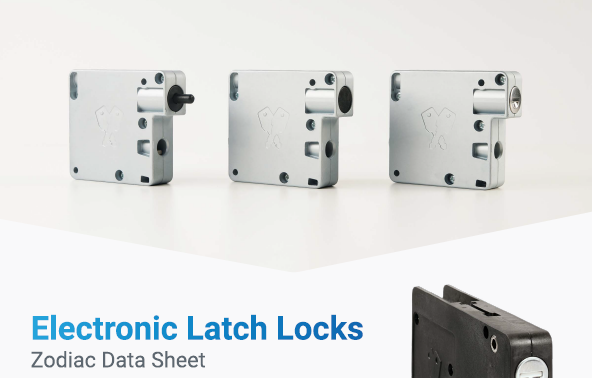
Electronic Latch Locks
The Lowe & Fletcher range of electronic latch locks incorporate a number of innovative features including both key and mechanical cable overrides.
Data Sheet
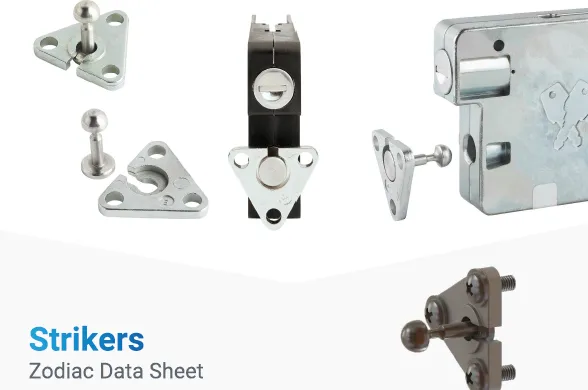
Striker Bolt
The Lowe & Fletcher range of Electronic Latches are supplied with a door mounted striker bolt which is retained by the latch to lock the door when it is closed.
Data Sheet
Touchscreen Terminal
The Zodiac system includes a slimline 10.1-inch, LCD touchscreen. Designed for flush mounting on the locker bank, this display looks as good as it performs.
Brochure
Smart Locking Solutions
How people use their spaces is changing discover how our range of smart locking solutions can reshape the way you work.
User Manual
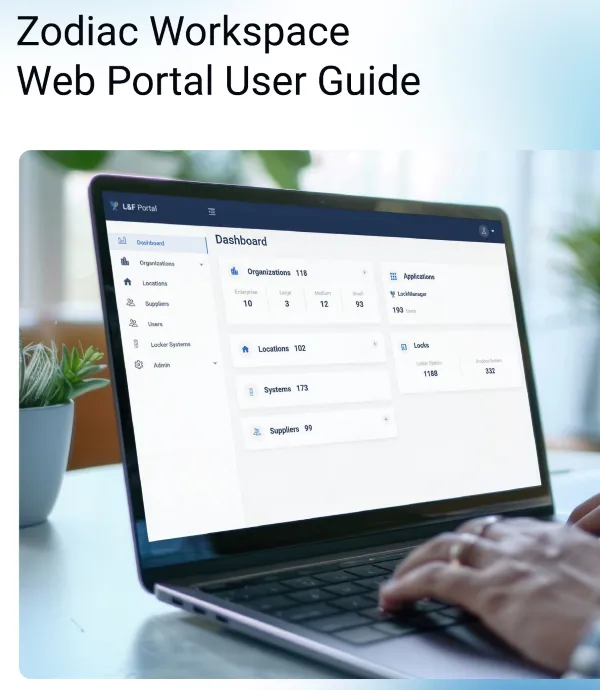
Web Portal User Manual
How to navigate and operate the Web Portal on your Zodiac Workspace system.
User Manual
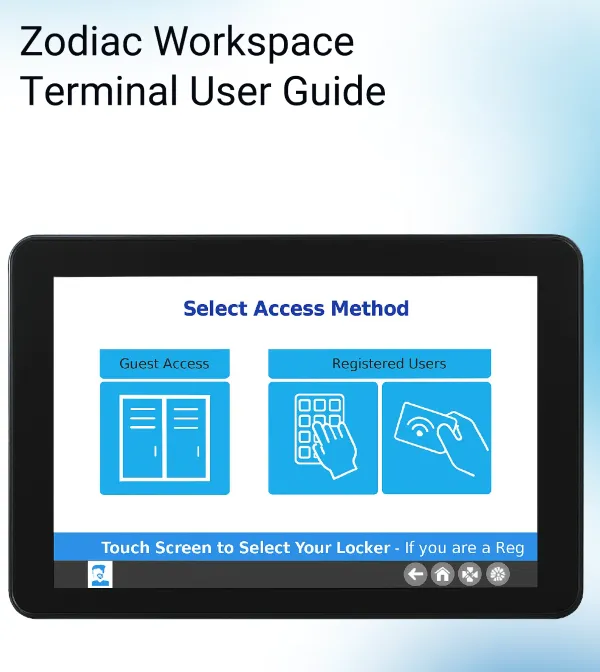
Terminal User Manual
How to operate the Terminal on your Zodiac Workspace system.
CONTACT US
Ready for a new way of working?
Simply fill out the details below and we’ll get back to you soon.
FAQs
Got a question about Zodiac? Maybe we’ve already answered it for you. Alternatively, feel free to give us a call.
Zodiac Workspace is a connected smart locker system for offices, hybrid workplaces and shared environments. It combines RFID card or PIN access for users with a browser-based management portal for administrators. Available as a complete locker installation or as an integration kit for furniture manufacturers and specifiers, it supports three allocation modes: Private, Registered Public, and Guest within a single installation.
Try Zodiac for real
The best way to see how easy it is to use Zodiac Workspace is to try it in person. Book your demonstration and see why Workspace storage will never be the same again.